BLUEALPHA

Blue Platform

Build with AI.
Publish with a URL.

Bring a web app made with your favorite AI, or create one with Blue's AI Build. Publish and share it with a URL — no server setup or management needed.

No credit card required. Start on the free Starter plan.

01 INPUT
Describe what to build

Example: a five-question quiz with three choices

02 PREVIEW
Check how it works

Answer, see your score, and play again

03 PUBLISH
Publish with a URL

your-app.blue.sola.inc

Follow the guide to build and publish a quiz →
Updates

Recent updates

  • Improved the AI Build models and generation harness.
  • Fixed an issue that prevented some apps created with AI Build from being published.
  • Added more AI Build templates organized by purpose and made them easier to choose from.
  • You can now use one of your published apps as a reference for a new app.
  • Simplified new publishing, existing app updates, and visibility selection in AI Build.
  • Improved AI Build quality and processing so complex apps are more likely to be completed in one build.
  • Added Ultra quality for Creator and Pro plans.
  • Creator and Pro plans can now switch selected apps to Power.
  • You can now register an optional passkey and use it alongside your password to sign in.
  • Updated AI Build processing and models.
  • Improved AI Build processing.
  • Aligned AI Build template selection with Development mode and made interrupted generations easier to resume.
  • Added likes for public apps on the home page and improved view counts to better reflect actual page visits.
  • Simplified how AI Build starts and presents settings, making it easier to clarify your goal before building.
  • Added Blue videos to the home page.
  • Reorganized app lists, details, and logs so everyday management actions are easier to find.
  • Added memos for recording the purpose of each API key.
  • AI Build results can now be reviewed in Preview / Code, edited directly, and published as an update.
  • Added design reference URLs so visual patterns from a reference page can guide app creation.
  • Work assets now supports documents and code, making source material easier to organize for AI.
  • Added image attachments and screenshot paste support to AI Build.
  • Made the next steps from generation to preview and a published URL clearer.
  • AI Build now follows the language of your request more naturally in replies and generated app text.
  • Added starter ideas after sign-up, so new users can begin from a concrete draft.
  • Improved AI Build chat operations for faster, more sustainable iteration.
  • Improved date and range controls for reviewing usage trends.
  • Refreshed the public app showcase so projects are easier to discover.
  • Added custom domain support.
  • Made it easier to build apps in AI Build from specs, URLs, and files.
  • Launched the Blue beta.

Build → Preview → Publish with a URL

Turn what you made with AI into something people can use.

STEP 1

Build with AI

Create with Blue's AI Build, or bring a web app from your favorite AI using a ZIP file or the API.

STEP 2

Check in Preview

Review the design and interactions before publishing, then ask AI to revise or edit the code.

STEP 3

Publish with a URL

Confirm the publishing settings and select Publish to get a URL you can share.

YOUR NEXT SMALL TOOL

Make it useful.
Save it. Share it.

Build a checklist and share it across browsers. Then update your published app while keeping its saved items. Try the working example and follow the steps.

Build a shared checklist →
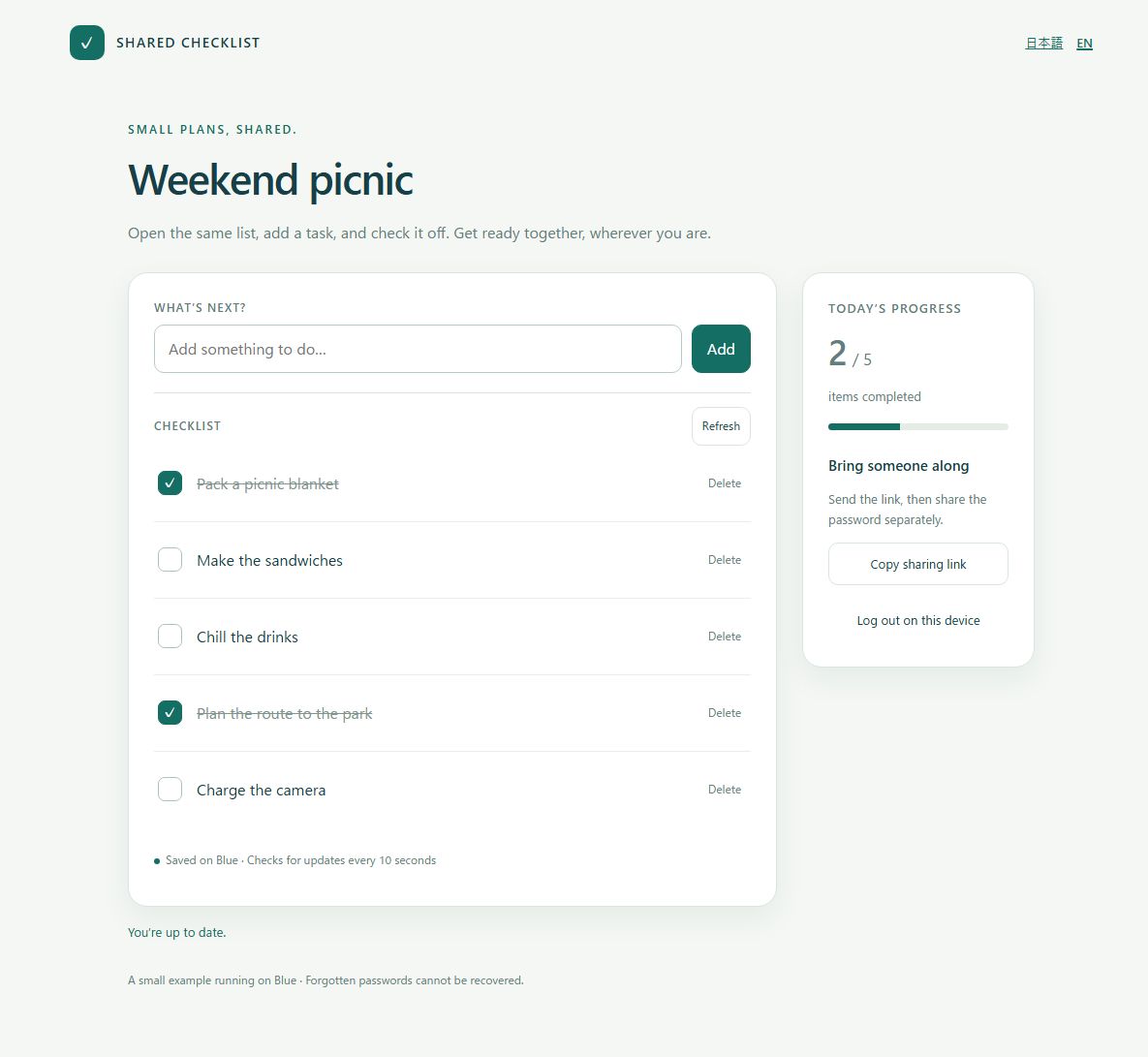
A shared checklist running on Blue, with picnic preparation items and a completed-item count

Showcase

View all →
Public app preview for イーモンポートフォリオ

イーモンポートフォリオ

Static app · Views 253

Blue videos

See what Blue can do and how to use it. These videos are in Japanese; YouTube caption and translation options may be available.

YouTube · Japaneseコード一切不要!アイデアを瞬時に形にする最強AIツールを紹介【Blue】 YouTube · Japaneseこれ1本でできる!知識一切不要で理想のHPを作る方法【AI Build】 YouTube · Japanese【初心者でも使える】スマホだけでOK!外でも簡単&思い通りにHPを生成する方法【Blue×Codex】

Choose how to begin

Create with Blue, build with your favorite AI, or publish an app you already have.

Deploy

No source code management needed — just a ZIP file to get your app running.

AI-Ready

Upload directly from Codex or Claude Code.

Operate

No server management needed. Run apps with no code.

What will you build with Blue?

Whatever you've created with AI, we'll show you what's next.

Run it across your org

Deploy AI-built internal tools with no IT overhead. Fixed monthly cost, predictable budgets.

Make learning real

Assignments, thesis demos, job portfolios. Start free, submit by URL.

Ship your creations

Give your work a home on the web. Let AI handle the site — you focus on creating.

SOLA PRODUCTS & SERVICES

More ways to get things done with Sola.

From everyday tools to team work and custom systems, find a service for your next step.

monoca 2

Organize your belongings

A mobile app for keeping track of belongings and sharing collections.

Visit official site
Sola Apps

Find an app for everyday life

Explore Sola apps for notes, passwords, learning and more.

Visit official site
Sola · 日本 / Japan

Build a system for your business

Discuss tailored applications, system development and operations with the Japan team.

Visit official site · Japanese site
Sola of America

Work with a U.S. development team

Discuss business systems and web or mobile applications with Sola of America.

Visit official site
SPS

Keep your team in sync

A team portal for daily reports, wiki content and shared business knowledge.

Visit official site
SFS

Share files with your team

A dedicated team file server for storing, sharing and sending files.

Visit official site

These are separate Sola services. Check each service for its pricing, account and support terms.